RESPOND · A Streamline with Purpose™ field guide to navigating AI change
AI Knowledge Library · Pillar 3: Streamline with Purpose™
About #RESPOND: This is one of my occasional zen-meets-AI-strategy pieces — I share one only when an AI platform shifts in a way worth pausing for. Where the rest of the internet reacts, I’d rather respond. Each #RESPOND guide meets a moment of change the way a steady mind meets a loud room: notice it, keep what lasts, and move forward without the panic. This one is about the shift from custom GPTs to Skills.
The short answer
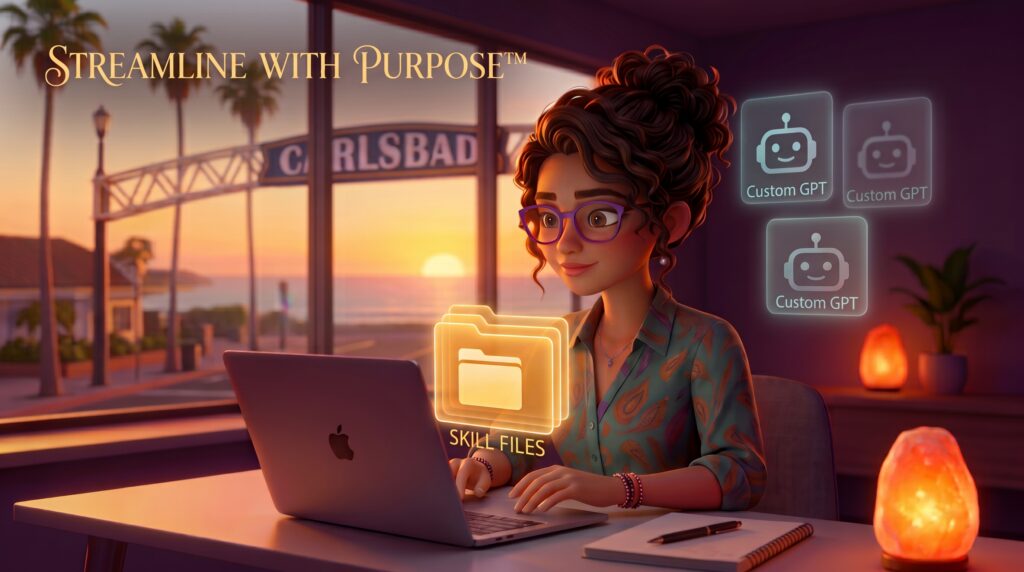
An AI Skill is a portable file — a small folder of written instructions, knowledge, and examples — that tells an AI assistant how to do a specific job the way you want it done. What makes a Skill different from a one-time prompt is that it’s saved, reusable, and increasingly portable across many AI tools rather than trapped inside one. You build the instructions once, and the AI follows them every time.
Why it matters now: the AI tools we use are changing under our feet. Features move behind new plans, products get renamed, and the way you set up an assistant last year may not be the way you set one up next year. A Skill is one of the first things in this space designed to outlast those shifts. It’s a file you own, not a setting inside a platform you don’t.
And here’s the part most of the noise leaves out: if you never built a custom GPT, you haven’t fallen behind. You get to skip the platform-locked era entirely and start with the thing that’s built to last. This guide explains what Skills are, why they matter now, and how to think about them — calmly, and from zero.
Key takeaways
- A Skill is a saved, reusable file of instructions and knowledge that an AI follows to do a specific task — not a one-off prompt you retype each time.
- Skills are being published as an open standard, which means one Skill file can work across compatible AI tools rather than living inside a single platform.
- The recent shift around custom GPTs is one example of a larger pattern: platforms change, and capability that’s locked inside a single product can move or disappear.
- You do not need to have used custom GPTs, and you do not need to code, to understand or benefit from Skills.
- The durable move isn’t to chase every new tool. It’s to protect the capabilities you rely on so they travel with you.
- “Portable across compatible tools” does not mean “identical everywhere” — each tool handles Skills a little differently.
First, the calm frame: respond, don’t react
There’s a particular sound the internet makes when an AI platform changes. A tool gets retired, a feature moves behind a paywall, a familiar button disappears — and within hours the headlines arrive, all wearing the same expression: hurry. You’re behind. Everything you built is obsolete. Act now or get left behind.
That sound is a reaction. And reactions, however loud, rarely make good decisions.
There’s another way to meet a change, and it’s the quieter one. Instead of scrambling, you pause. You look at what actually shifted — not what the headline says shifted. You ask a single grounding question: What here is genuinely mine to keep, and what was only ever borrowed from a platform? Then you act in proportion to the real change, not the manufactured urgency.
That’s a response. And it’s the thread running through this entire guide — and through every future piece in this #RESPOND series. Because AI platforms will keep changing. This particular change won’t be the last. So rather than teach you to memorize one product’s rules, this guide teaches you the move underneath: notice the churn, keep what’s durable, let the rest go without panic.
Skills are what “durable” looks like right now. Let’s start with what’s actually happening — and then what a Skill really is.
What’s actually happening right now (as of August 2026)
Here’s the current landscape, stated plainly and dated — because in a field this fast, when matters as much as what.
Over the past year, OpenAI changed how custom GPTs work on personal accounts. As of this writing, new custom GPT creation and publishing are no longer available on personal ChatGPT plans (Free, Go, Plus, and Pro). Existing custom GPTs still work, and can still be edited with an eligible plan and the right permissions. For business, enterprise, education, and teacher accounts, GPT creation still depends on workspace settings — but OpenAI has introduced Workspace Agents, which it describes as “an evolution of GPTs.” OpenAI has said GPTs will remain available while teams test Workspace Agents, and that it will make it easy to convert GPTs into Agents over time. (Worth noting as a small window into how fast this moves: Workspace Agents were originally slated to begin credit-based pricing on May 6, 2026 — OpenAI later extended the free period, and token-based pricing began July 6, 2026. The dates moved. They tend to.)
Separately — and often confused with the above — the OpenAI Assistants API, a tool for developers, has a confirmed shutdown date of August 26, 2026, with OpenAI pointing developers to its newer Responses and Conversations APIs instead. This is a behind-the-scenes developer change, not the same thing as the custom GPTs most people click on inside ChatGPT. If you’ve never written code, this one simply isn’t about you.
Notice what all of this has in common. None of it is a catastrophe. But all of it is movement — plans shifting, tools evolving, dates changing. That’s not a glitch in the system. That’s the nature of building your work on top of someone else’s platform. Which is exactly why the next question is the important one.
(Facts above are current as of August 2026 and linked in Sources. Because this landscape shifts, treat specific dates and plan names as a snapshot — the durable lesson below is what to carry forward.)
What a Skill actually is (in plain terms)
Imagine you have a task you do again and again — say, turning your messy meeting notes into a clean summary in a format you like. There are three ways you might hand that job to an AI, and understanding the difference is the whole point.
The first way is a prompt. You open a chat and type out your instructions: “Summarize these notes, keep it under 200 words, pull out action items, use a warm tone.” The AI does it. Good result. But when you close that chat, your setup is gone. Tomorrow you type it all again. A prompt is words you use once and lose.
The second way is a platform-based assistant — the category custom GPTs belong to. You save your instructions inside a specific product so you don’t have to retype them. This is a real step up. But it lives inside that platform’s walls. It follows that platform’s rules, that platform’s pricing, and that platform’s future. When the platform changes — as we just watched happen — your setup is subject to those changes. Useful, but borrowed.
The third way is a Skill. A Skill takes those same instructions and knowledge and saves them as a portable file — plain, readable text with a bit of structure — that you own. At its simplest, a Skill is a small folder containing a main instruction file (written in ordinary language, describing what the Skill does and how the AI should behave) plus any supporting files it needs. Because it’s a standard format, that same file can be used across the growing number of AI tools that support it — rather than being locked to one.
The shift is subtle but everything: with a prompt, the instructions live in the moment. With a platform assistant, they live inside a product. With a Skill, they live in a file you hold. The AI is the engine. The Skill is the thing you bring to it — and take with you when you go.
Why this matters now — even if you never touched a custom GPT
If you spent the last two years watching the custom-GPT conversation from the sidelines, feeling a step behind, here’s the reframe worth sitting with: you weren’t behind. You were early to nothing you’ll miss.
The people who invested heavily in building elaborate setups inside a single platform are now the ones navigating conversions, migrations, and changed rules. That’s not a criticism of them — they were working with the best tools available at the time. But it does mean the “advantage” of having gone first was, in this case, partly an exposure. They built on ground that moved.
You get to start somewhere different. You get to begin with the question that actually endures: not “which tool should I marry?” but “which of my capabilities should be portable?” That’s a Streamline with Purpose™ question at its core — it’s about building on ground that holds, so your energy goes into your work instead of into re-learning platforms every year.
There’s a quiet dignity in this. The whole culture around AI has been telling overextended founders and creators that they’re behind, that they need to catch up, that the wave already left without them. Skills invite a gentler and truer story: the wave you actually need to catch is the one about to form, and you’re standing exactly where you need to be to meet it — hands empty, ready to hold what lasts.
What makes a capability durable
So what separates something you keep from something a platform can take back? A few honest markers.
It’s a file you can hold, not a setting you can only visit. If your instructions live only inside a product’s interface — accessible only by logging into that product — then that product owns the terms. If they live in a file you can save, move, and open elsewhere, the balance shifts toward you.
It follows an open standard. The reason Skills travel is that the format was published openly, so more than one company can support it. As of late 2025, the Skill format (introduced by Anthropic and then published as an open standard for cross-platform portability) has been adopted across a growing set of tools — including Claude and, per Microsoft’s own documentation, coding assistants like GitHub Copilot, Cursor, Gemini CLI, Codex CLI, and Microsoft’s Agent Framework. An open standard is the difference between a capability that’s yours and one that’s on loan.
It’s written in plain language you can read and edit. A durable capability isn’t a black box. Because a Skill is largely ordinary written instructions, you can open it, understand it, and change it — no engineering degree required. What you can read, you can keep.
One honest caveat, because you deserve the full picture: “portable across compatible tools” is not the same as “works identically everywhere.” Different tools may handle the same Skill a little differently — where they look for it, when they activate it, what it’s allowed to do, how it runs. Portability is real and valuable. Just don’t expect pixel-for-pixel sameness across every product. Bring the file; adjust for the room.
Practical ways to apply this
You don’t need to convert anything, buy anything, or learn to code today. The practical work here is mostly a shift in how you decide — and that shift starts with three plain questions.
Ask what you actually repeat. Before anything else, notice which AI tasks you do over and over in roughly the same way. The summary you always reformat. The tone you always have to correct. The context you paste in every single time. Those repeated setups are your candidates — the capabilities worth making portable, because you’re already paying the cost of rebuilding them by hand.
Ask where your setup currently lives. For each of those repeated tasks, notice whether your instructions live somewhere you own (a document, a file, a note you control) or somewhere you only visit (inside one platform’s interface). You don’t have to move anything yet. Just seeing the difference is the discernment. Anything that lives only inside a single product is, by definition, on borrowed ground.
Ask what would survive a platform change. Here’s the grounding test for any AI setup you rely on: if this tool changed its rules or disappeared tomorrow, what would I lose, and what would I still have? The parts you’d keep — your written instructions, your accumulated context, your way of working — are the parts worth saving as portable capability. The parts you’d lose are the parts that were never really yours.
That’s the entire discernment practice, and it’s evergreen: notice what you repeat, notice where it lives, and protect what should travel. When you’re ready to actually build a Skill, there are good step-by-step resources for that — but the thinking above comes first, and the thinking is what lasts.
A note on the broader conversation: several AI educators have written thoughtfully about the practical mechanics of moving from custom GPTs to Skills, including Jonathan Mast, who has covered the “what happens to your custom GPTs” question in useful detail. This guide stays deliberately at the level of how to think about the shift rather than reproducing anyone’s specific step-by-step method — when you want the hands-on build, those creators’ work is worth your time.
One technical tip worth knowing
If you do go on to explore Skills, here’s the single most useful thing to understand about how they’re built — and it’s reassuring rather than intimidating.
A Skill is, at heart, a plain text file with a little bit of structure at the top. That structure is just a short block of labels — a name for the Skill and a description of what it does and when to use it — followed by your instructions written in ordinary language, the way you’d explain the task to a capable new assistant. There’s no secret syntax to master. The clarity of your instructions matters far more than any technical formatting.
This is why Skills are quietly good news for non-technical builders: the skill that makes a good Skill is the skill you already have — the ability to explain, clearly and specifically, how you want something done. You’ve been doing that your whole career. Now it just gets to live in a file.
Guardrails and honest limits
Your existing custom GPTs haven’t vanished. If you built custom GPTs on an eligible plan, they still work as of this writing. Nothing here requires you to abandon them tomorrow — it’s an invitation to think about durability going forward, not a fire drill.
Skills are not magic, and they’re not a personality. A Skill makes a capability portable and repeatable. It does not make an AI understand you, and it doesn’t replace your judgment. You are still the one who decides whether the output is right. The file carries your instructions; it doesn’t carry your discernment. That stays with you — as it should.
Don’t turn this into a new source of overwhelm. The point of Skills is less friction, not a new project to feel behind on. You do not need to “skill-ify” your entire workflow this week. Pick one repeated task, or pick none yet and simply carry the reframe. Streamlining with purpose means doing less, more intentionally — not adding another race to run.
Portability has limits. As noted above, the same Skill may behave differently across tools. Treat it as a strong head start, not a guarantee of identical results everywhere.
Frequently asked questions
Do I need to have used custom GPTs to understand or use Skills? No. Skills stand entirely on their own. The custom-GPT story is simply the most familiar example of why portable capability matters — but you can start with Skills from zero, and arguably that’s the cleaner place to begin.
Do my existing custom GPTs still work? As of August 2026, yes — existing custom GPTs remain usable, and editable with an eligible plan and permissions. What changed is the ability to create and publish new ones on personal plans. Check OpenAI’s official Help Center for the current details, since this is exactly the kind of thing that shifts.
Do I have to know how to code to use a Skill? No. A Skill is mostly ordinary written instructions with a small bit of labeling at the top. If you can clearly explain how you want a task done, you can understand a Skill — and that clarity matters far more than any technical detail.
Is this just a developer thing? Some of the current tools that support Skills are aimed at developers, which is why you’ll see coding assistants mentioned. But the underlying idea — a portable file of your instructions that you own — is for anyone who works with AI. The concept is not technical, even where some of today’s tools are.
Will Skills also change or get replaced someday? Possibly — everything in this space evolves. But because Skills are built on an open standard rather than a single company’s product, they’re structurally more durable than anything locked to one platform. And the deeper practice this guide teaches — protect portable capability, respond rather than react — outlasts any specific format. That’s the point of the pause.
The move underneath the moment
Strip away the headlines and the hurry, and every AI platform change is asking you the same quiet question: are you going to react, or are you going to respond?
React, and you’ll spend the next several years sprinting after each new tool, each new feature, each new panic — always a little behind, always a little depleted. Respond, and something steadier becomes possible. You stop trying to own every tool and start protecting the capabilities that are genuinely yours. You build on ground that holds. You let the platforms churn while your work stays whole.
Skills are simply the current name for that steadier posture — a file you own instead of a setting you rent. They’ll evolve, as everything here does. But the deeper thing they point to won’t: in a field designed to keep you reacting, the most valuable move you can make is to pause, keep what lasts, and walk forward with your hands full of only what’s actually yours. 🦋
Ready to build on ground that holds?
If your AI setup feels scattered across a dozen tools you’re not sure you can keep, that’s not a personal failing — it’s what happens when you build fast on shifting ground. The State Audit is a short, calm way to see where your systems actually stand and what’s worth making durable. And the rest of the AI Knowledge Library is here whenever you want another grounded, jargon-free guide to using AI with more clarity and purpose.
Respond, don’t react. The pause is where the good decisions live.
Sources
- OpenAI Help Center — GPTs in ChatGPT (custom GPT availability by plan; creation/editing rules). Accessed August 2026.
- OpenAI — Introducing workspace agents in ChatGPT (April 22, 2026; “an evolution of GPTs”; GPTs remain available during testing).
- OpenAI — ChatGPT Business release notes (Workspace Agents token-based pricing began July 6, 2026; original May 6 date extended).
- OpenAI Platform — Deprecations (Assistants API deprecated August 26, 2025; shutdown August 26, 2026; Responses API and Conversations API as replacements).
- Anthropic — Equipping agents for the real world with Agent Skills (Agent Skills introduced October 16, 2025; published as an open standard for cross-platform portability December 18, 2025; SKILL.md format).
- Microsoft Learn — Agent Skills documentation (open-standard adoption and compatibility: GitHub Copilot, Cursor, Gemini CLI, Codex CLI, VS Code, Microsoft Agent Framework; per-tool discovery paths and behavior differences).
- Jonathan Mast — jonathanmast.com (referenced as a voice covering the practical custom-GPT-to-Skills transition).
Facts current as of August 2026. Because AI platforms change frequently, verify specific dates, plan names, and product details against the official sources above before relying on them.
Affiliate Disclosure: Some links in this guide are affiliate links, which means I may earn a small commission at no extra cost to you. I only ever point to people and resources whose work I genuinely stand behind.